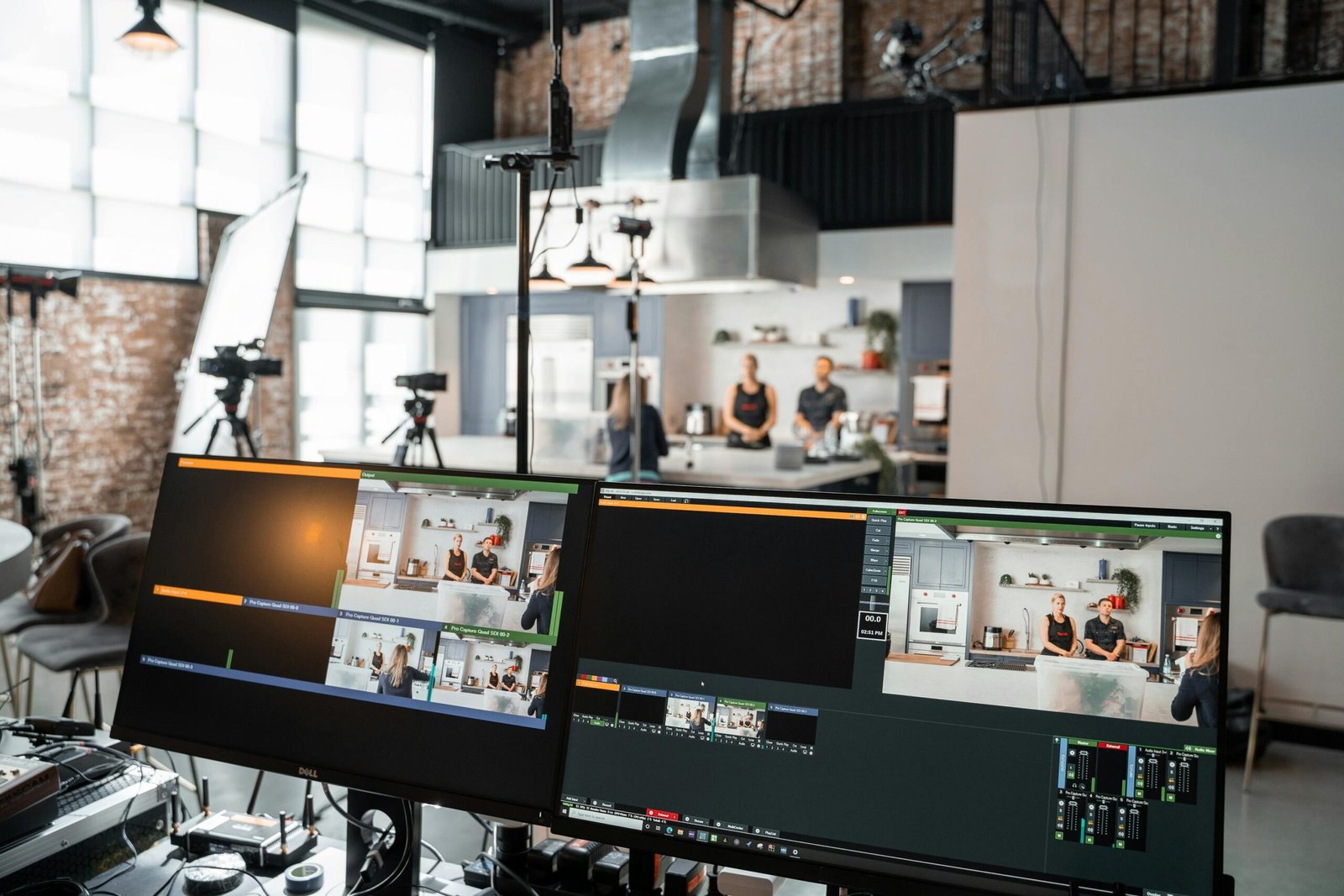
AI video creation tools have transformed how individuals and businesses produce content — cutting production time by up to 80% while delivering broadcast-quality results without expensive equipment or crews.
Why AI Video Creation Is Changing Content Production in 2026
The video content landscape looks radically different today than it did just a few years ago. According to Synthesia’s 2025 State of AI Video report, over 65% of enterprise marketing teams now use at least one AI video tool in their production workflow. Meanwhile, a 2026 HubSpot survey found that AI-assisted video content generates 3x more engagement than static posts across LinkedIn, Instagram, and YouTube combined. For creators, marketers, and business owners, learning how to use AI for video creation is no longer optional — it’s a competitive necessity.
The shift is driven by two forces: falling costs and rising quality. Text-to-video models, AI avatars, automated voiceovers, and intelligent editing platforms have matured dramatically. What once required a camera crew, a studio, and days of post-production can now be accomplished in hours using the right combination of tools and workflows. This guide breaks down exactly how to do that — from choosing your tools to building a repeatable production system.
The Core AI Video Tools You Need to Know
The AI video ecosystem in 2026 is rich but fragmented. Understanding which tools solve which problems will save you significant time and money. Broadly, the category breaks down into four types: text-to-video generators, AI avatar platforms, automated editing tools, and AI voiceover and dubbing services.
Text-to-Video Generators
These platforms take written prompts or scripts and generate original video footage using generative AI models. The leading options in 2026 include Runway Gen-3, Sora (now available via OpenAI’s API), Kling AI, and Pika Labs. Each has distinct strengths. Runway Gen-3 excels at cinematic, visually rich sequences and offers granular camera control. Sora produces highly coherent longer-form clips with impressive physical realism. Kling AI, developed by Chinese tech firm Kuaishou, is widely praised for motion consistency and is a strong choice for product and lifestyle content.
Practical tip: Text-to-video tools produce the best results when your prompts are specific and structured. Instead of writing “a woman walking in a city,” try “a professional woman in her 30s, wearing a navy blazer, walking through a sunlit Manhattan street, slow-motion, shallow depth of field, golden hour lighting.” The more cinematic context you provide, the more usable the output.
AI Avatar and Presenter Platforms
If your video needs a human face — for explainers, training content, or spokesperson videos — AI avatar platforms like Synthesia, HeyGen, and D-ID let you create photo-realistic digital presenters from a script. You simply type your text, choose an avatar, select a language and tone, and render the video. HeyGen’s 2026 update introduced real-time lip-sync correction and emotion modulation, making avatars feel significantly more natural than earlier versions.
These tools are especially powerful for multilingual content. HeyGen’s video translation feature can dub an existing video into over 40 languages while matching the speaker’s lip movements — a capability that would have cost thousands of dollars per language just two years ago. For businesses targeting global audiences, this is a game-changing feature for AI video creation workflows.
AI-Powered Video Editing Platforms
Tools like Descript, Adobe Premiere Pro (with Firefly AI), CapCut AI, and Pictory handle the post-production side of the equation. Descript remains one of the most popular among content creators because it treats video editing like a word processor — you edit the transcript, and the video edits itself. Remove filler words, reorder sentences, and cut dead air in minutes rather than hours.
Adobe Premiere Pro’s AI suite in 2026 includes Generative Extend (which fills gaps between clips using AI-generated frames), automatic scene detection, and one-click color matching across a sequence. CapCut AI is particularly strong for short-form social content, with auto-captioning, beat-sync music, and trend-based template suggestions built in.
AI Voiceover and Audio Tools
ElevenLabs, Murf, and Play.ht dominate the AI voiceover space. ElevenLabs in particular has set a new standard with voice cloning that requires only a few seconds of audio sample. These tools integrate directly with most video editors and avatar platforms, giving you complete control over pacing, tone, and delivery without hiring a voice actor. For longer-form content, ElevenLabs’ new Projects feature manages multi-voice scripts with chapter-level audio rendering.
Building an Efficient AI Video Creation Workflow
Having great tools means nothing without a smart workflow. A structured production process ensures consistency, reduces revision cycles, and scales with your output goals. Here’s a practical end-to-end workflow used by professional content teams in 2026.
Step 1 — Script and Storyboard with AI Assistance
Start with ChatGPT, Claude, or Gemini to draft your video script. Give the model your target audience, key message, video length, and desired tone. Ask it to structure the script with a hook, core content, and a clear call to action. Then use the same tool to generate a simple shot list or storyboard description — noting the visual mood, camera angle, and scene context for each segment.
This pre-production phase is where most creators rush and later regret it. A well-constructed script reduces reshoots, avatar re-renders, and post-production confusion. Spend 20% of your project time here and you’ll save 50% downstream.
Step 2 — Generate or Source Your Visual Assets
Once the script is locked, determine which visual approach fits your content: live footage from a stock library, AI-generated video from a text-to-video tool, an AI avatar presenter, or a combination. Tools like Storyblocks, Artgrid, and Pexels provide high-quality human footage, while Runway or Kling AI can fill in custom visuals that stock libraries don’t have.
For talking-head or explainer content, render your AI avatar in Synthesia or HeyGen using the finalized script. Export at the highest resolution available — typically 1080p or 4K depending on the platform — and keep raw renders in a project folder before bringing them into your editor.
Step 3 — Assemble and Edit
Import all assets into your editing platform of choice. Descript works well if your content is narration-heavy. Premiere Pro is preferable for complex multi-track timelines with color work and motion graphics. CapCut is ideal for fast-turnaround social content under 90 seconds.
Add captions at this stage — not as an afterthought. Research from Verizon Media shows that 69% of people watch video with the sound off in public settings. AI auto-captioning in Descript or CapCut is accurate enough for most use cases, though you should always proofread before publishing.
Step 4 — Add Music, Sound Design, and Final Polish
Platforms like Epidemic Sound, Artlist, and Soundraw (an AI music generator) provide royalty-free tracks optimized for different content moods. Soundraw lets you specify tempo, genre, and energy level to generate custom tracks — useful when you need something that fits a precise duration without awkward cuts. Apply light audio normalization and reduce background noise using Adobe Podcast’s AI enhancement tool or iZotope RX before final export.
Step 5 — Optimize for Platform and Publish
Each distribution channel has different aspect ratio, caption, and file format requirements. YouTube favors 16:9 at 4K with SRT caption files. Instagram Reels and TikTok use 9:16 vertical at 1080p. LinkedIn performs well with 1:1 square video for feed posts. Tools like Repurpose.io and Kapwing can automatically reformat a single master video for all platforms, saving significant time when distributing AI video creation output across multiple channels.
Practical Tips to Improve Your AI Video Quality
Understanding the tools and the workflow is a start, but the difference between average and outstanding AI-generated video comes down to the details. Here are high-impact techniques that professional creators apply consistently.
Prompt Engineering for Visual Consistency
When using text-to-video tools across multiple clips in a single project, visual consistency is a major challenge. Different generations will produce different lighting, color palettes, and styles unless you enforce a consistent set of prompt parameters. Create a “visual bible” — a short document that includes your lighting description, color grade reference, camera style, and subject description — and paste it into every prompt you write for that project.
Use AI for B-Roll, Not Just Hero Content
One of the highest-value applications of AI video creation tools is generating B-roll footage to support existing talking-head videos or screencasts. Rather than searching stock libraries for hours, generate exactly the visual metaphor or scenario you need using Runway or Kling AI. This gives your content a custom look that stock-heavy videos can’t match.
Combine Real and AI-Generated Footage Strategically
The most compelling content in 2026 blends real human footage with AI-generated visuals. Use real footage for trust-building moments — testimonials, product demos, personal stories — and AI-generated content for abstract concepts, transitions, and visual flair. Audiences respond positively to this hybrid approach because it retains authenticity while delivering production value that pure talking-head content lacks.
Test Before You Scale
Before committing to a full production run using a new AI tool or workflow, produce a 60-second test video and run it through your quality checklist: lip-sync accuracy, caption timing, audio clarity, color consistency, and platform compliance. Catching issues at the test stage is far less costly than discovering them after 10 videos are rendered and scheduled.
Avoiding Common Mistakes in AI-Assisted Video Production
Even experienced creators make avoidable mistakes when integrating AI into their video workflows. Being aware of the most frequent pitfalls will protect your brand and save you rework time.
Over-Relying on AI Without Human Review
AI avatar platforms still produce occasional lip-sync errors, unnatural hand movements, and awkward pauses. Text-to-video models can generate physically impossible scenes or inconsistent subjects across frames. Always watch your full render before publishing. Build a human review checkpoint into every workflow stage, not just at the final export.
Ignoring Copyright and Consent Considerations
Voice cloning and AI likeness generation raise significant legal and ethical questions that are still being resolved in courts and legislatures across the US, UK, and EU. In 2026, the US NO FAKES Act and similar UK legislation place restrictions on the use of AI-generated likenesses and voices without explicit consent. If you are cloning someone’s voice or creating a digital likeness of a real person, ensure you have the appropriate legal rights and written consent. When in doubt, use licensed avatar and voice assets from platforms like Synthesia or ElevenLabs that provide indemnification for properly licensed content.
Neglecting Thumbnail and Metadata Optimization
No matter how polished your AI video is, discoverability depends on strong metadata. Use your target keyword in the video title, description, and tags. Create a custom thumbnail — tools like Canva AI or Adobe Firefly can generate compelling thumbnail designs from a text prompt. According to YouTube Creator Academy data, custom thumbnails account for over 90% of top-performing videos on the platform, making this one of the highest-ROI tasks in the entire AI video creation process.
Frequently Asked Questions
What is the best AI tool for creating videos from scratch in 2026?
The best tool depends on your content type. For text-to-video generation, Runway Gen-3 and Sora lead on visual quality. For presenter-style explainer videos, HeyGen and Synthesia are the top choices. For editing and post-production, Descript is the most beginner-friendly while Adobe Premiere Pro offers the most professional-grade control. Most serious creators use a combination of two or three tools rather than relying on a single platform.
How much does it cost to create AI videos?
Costs vary widely. Entry-level tools like CapCut AI and basic Descript plans start at free or under $20 per month. Mid-tier platforms like HeyGen and Synthesia range from $29 to $89 per month depending on rendering minutes and avatar access. Enterprise plans for Runway, Sora API access, and ElevenLabs can run $100 to $500 per month for heavy production use. For most small businesses and individual creators, a practical AI video creation stack can be assembled for $60 to $120 per month.
Can AI-generated videos rank on YouTube and Google?
Yes — AI-generated videos can and do rank well on YouTube and in Google’s video carousels, provided they meet quality and relevance standards. Google’s ranking systems evaluate content quality, viewer engagement, watch time, and metadata relevance rather than how the video was produced. The key is ensuring your AI video delivers genuine value to viewers and is properly optimized with accurate titles, descriptions, chapters, and captions.
Are AI avatar videos effective for business marketing?
AI avatar videos are highly effective for specific use cases — internal training, product tutorials, FAQ explainers, and multilingual content. They are less effective when authenticity and personal trust are central to the message, such as executive communications or customer testimonials. The best strategy is to use AI avatars for scalable, repeatable content and reserve real human video for high-trust moments.
How do I make AI-generated video look more realistic?
Focus on three areas: prompt specificity, post-production polish, and audio quality. Write highly detailed visual prompts that include lighting, camera movement, and mood. Apply color grading and grain overlays in post-production to match AI footage with live-camera aesthetics. Invest in high-quality AI voiceover from ElevenLabs or Murf and add subtle ambient sound design. Viewers rarely notice the difference between AI and real footage when audio quality is excellent — poor audio is actually the fastest way to make content feel artificial.
Is it legal to use AI to clone someone’s voice for video content?
This area of law is rapidly evolving. In the United States, the NO FAKES Act (introduced in 2024 and advancing through legislation in 2025-2026) restricts the creation of AI-generated replicas of real individuals’ voices and likenesses without consent. The UK has similar protections under the Digital Markets, Competition and Consumers Act. As a general rule: only clone voices and likenesses for which you have explicit written consent. Using licensed voice and avatar assets from reputable platforms with clear terms of service is the safest approach for commercial content.
How long does it take to produce an AI video from start to finish?
A polished 2-to-3 minute explainer video using an AI avatar and AI voiceover can realistically be produced in 3 to 5 hours by an experienced creator using an established workflow. For beginners, expect 8 to 12 hours for the first few projects as you learn the tools. Text-to-video cinematic content takes longer due to iterative prompt testing and clip curation. Short-form social videos under 60 seconds can often be produced in under 90 minutes once your workflow is optimized.
Mastering how to use AI for video creation in 2026 is genuinely one of the highest-leverage skills a content creator, marketer, or business owner can develop. The tools are mature, the workflows are proven, and the competitive advantage for early adopters remains significant. Start with one tool that solves your most immediate problem — whether that’s avatar-based explainers, automated editing, or AI-generated B-roll — build a repeatable workflow around it, and expand your stack as your confidence grows. The creators and brands producing the most compelling video content today are not necessarily those with the biggest budgets; they are the ones who have learned to combine human creativity with AI efficiency at every stage of production.
Disclaimer: This article is for informational purposes only. Always verify technical information and consult relevant professionals for specific legal, financial, or technical advice before implementing AI tools in your production or business workflows.
Leave a Reply