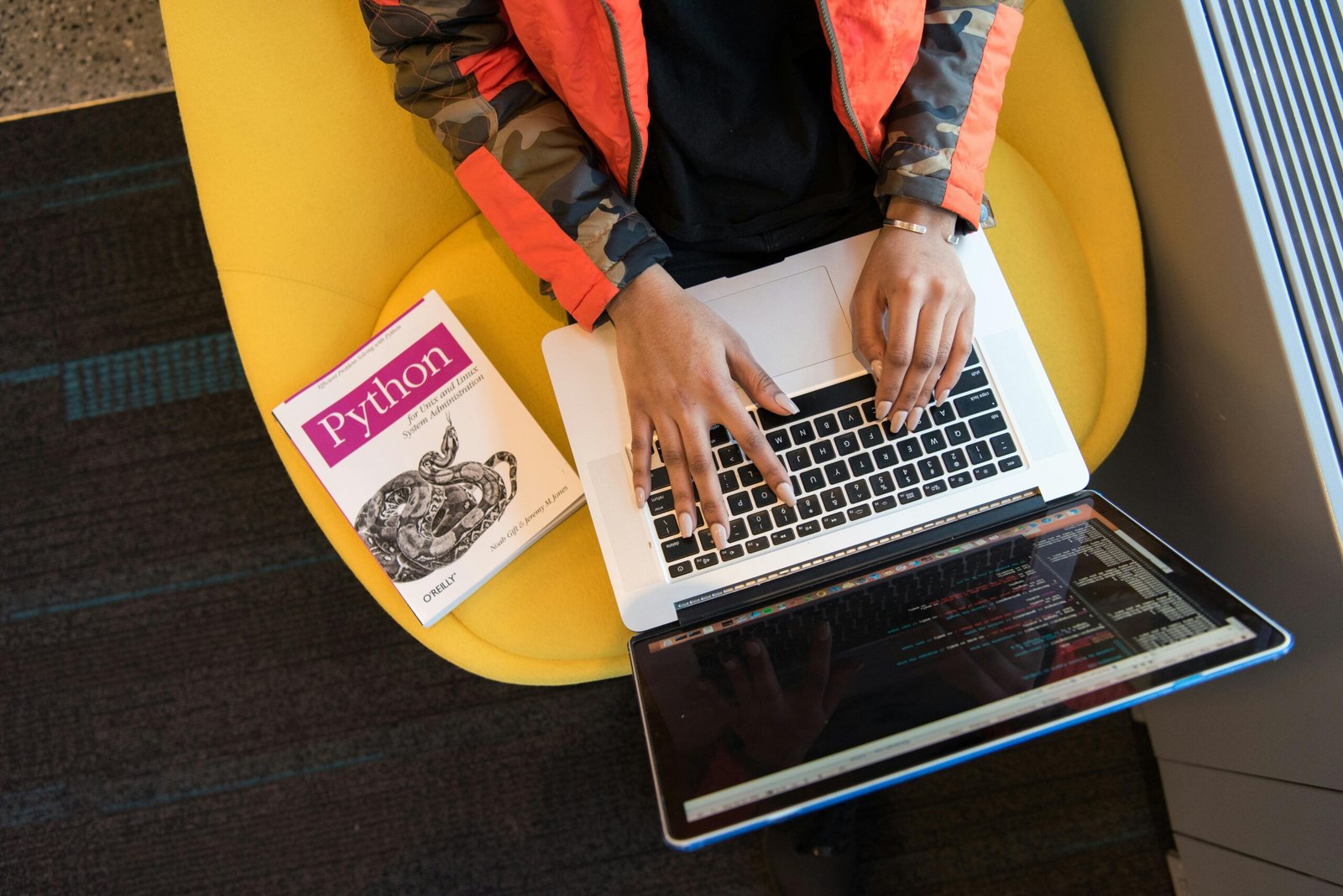
Why Python Is the World’s Most Beginner-Friendly Programming Language in 2026
Python has become the undisputed gateway into programming — and if you’re looking to start coding in 2026, there has never been a better time to dive in. According to the TIOBE Index, Python has held the top spot as the world’s most popular programming language for three consecutive years, with adoption accelerating across data science, artificial intelligence, web development, and automation. Whether you’re a complete newcomer or someone who dabbled in code years ago, this guide to Python for beginners covers everything you need to go from zero to writing real, functional programs.
Python’s appeal isn’t accidental. Its syntax reads almost like plain English, its community is massive, and its applications span virtually every industry. In 2026, Python skills are increasingly listed in job postings across finance, healthcare, marketing, and engineering — making it not just a hobby skill but a career-defining asset. Let’s break down exactly what you need to know, install, and practice to get started the right way.
Setting Up Your Python Environment the Right Way
Before writing a single line of code, you need to prepare your workspace. Getting your environment right from the start prevents frustration and saves hours of troubleshooting later.
Downloading and Installing Python
Head to the official Python website at python.org and download the latest stable version — as of 2026, that’s Python 3.13. Always download from the official source to avoid malware-laden third-party versions. During installation on Windows, make sure to check the box that says “Add Python to PATH” — this single step prevents the most common beginner installation error. Mac and Linux users often have Python pre-installed, but it’s worth upgrading to the latest version regardless.
Once installed, open your terminal or command prompt and type python –version to confirm the installation worked. If you see the version number printed back, you’re ready to move forward.
Choosing the Best Code Editor for Beginners
Your code editor is where you’ll spend most of your time, so choose wisely. Here are the top options for beginners in 2026:
- VS Code (Visual Studio Code): Free, lightweight, and loaded with Python extensions. It’s the industry standard for a reason and works beautifully on Windows, Mac, and Linux.
- PyCharm Community Edition: Jetbrains’ dedicated Python IDE offers smart code completion and built-in debugging — ideal if you want a more guided experience.
- Thonny: Specifically designed for absolute beginners, with a built-in debugger that shows exactly what Python is doing step by step.
- Jupyter Notebook: Perfect if you’re heading toward data science or AI, allowing you to run code in individual cells and visualize results instantly.
For most beginners, VS Code with the official Python extension installed is the sweet spot between simplicity and professional-grade functionality.
Core Python Concepts Every Beginner Must Master
Python for beginners can feel overwhelming if you try to learn everything at once. The key is mastering the foundational concepts first — these are the building blocks every more advanced topic depends on.
Variables, Data Types, and Basic Operations
A variable is simply a named container that stores information. Python is dynamically typed, meaning you don’t have to declare what type of data a variable holds — Python figures it out automatically. The core data types you’ll encounter first are strings (text), integers (whole numbers), floats (decimal numbers), and booleans (True or False). Understanding how these types behave and how to convert between them is fundamental to writing functional code.
Arithmetic operations in Python work intuitively — addition, subtraction, multiplication, and division all use the symbols you’d expect. One beginner trap to watch for: dividing two integers in Python 3 always returns a float, which occasionally surprises newcomers coming from other languages or older Python 2 tutorials.
Control Flow: Making Your Programs Think
Control flow determines which parts of your code run and when. The two most important control flow tools are conditional statements and loops. Conditional statements (if, elif, else) let your program make decisions based on data. Loops — specifically for loops and while loops — allow your code to repeat actions without rewriting the same lines over and over.
Mastering indentation is non-negotiable in Python. Unlike many languages that use curly braces, Python uses whitespace indentation to define code blocks. A single misplaced space will cause an IndentationError. While this initially frustrates beginners, it ultimately produces cleaner, more readable code — which is precisely the point.
Functions and Why They Matter
Functions are reusable blocks of code that perform a specific task. Writing functions eliminates repetition, makes debugging easier, and forms the backbone of organized programs. Python’s built-in functions like print(), len(), range(), and type() will be your constant companions. Once you’re comfortable using built-in functions, creating your own using the def keyword is the logical next step — and one of the most satisfying early milestones in your Python journey.
Lists, Dictionaries, and Data Structures
Python’s built-in data structures are remarkably powerful. Lists store ordered collections of items and support indexing, slicing, and a host of useful methods. Dictionaries store data as key-value pairs — think of them as the Python equivalent of a real-world lookup table. Tuples are like lists but immutable (unchangeable), and sets store unique values automatically. Understanding when to use each data structure is a skill that separates competent Python programmers from beginners who technically know the syntax but struggle to write efficient code.
Python Libraries and Frameworks That Open Real Doors
One of Python’s greatest strengths is its ecosystem. There are over 450,000 packages available on the Python Package Index (PyPI) as of 2026 — meaning whatever you want to build, someone has almost certainly written tools to help you build it faster.
Libraries for Data Science and AI
If your goal is data analysis or machine learning, this trio is where you start:
- NumPy: Provides fast numerical computing with arrays and matrices — the foundation of almost every data science workflow.
- Pandas: Makes manipulating and analyzing structured data (like spreadsheets) astonishingly efficient.
- Matplotlib and Seaborn: Transform raw data into clear, compelling visualizations.
- Scikit-learn: The go-to library for machine learning, offering clean implementations of dozens of algorithms.
- TensorFlow and PyTorch: For deep learning and neural network development — more advanced, but worth knowing they exist.
Libraries for Web Development and Automation
Python powers some of the world’s most-visited websites. Django is a full-featured web framework built for rapid development and security — Instagram was famously built on Django. Flask is its lightweight counterpart, ideal for small APIs and microservices. For automation tasks — scraping websites, filling out forms, sending emails automatically — libraries like Requests, BeautifulSoup, and Selenium are widely used and well-documented.
A 2025 Stack Overflow Developer Survey found that Python is used by 51% of professional developers and 62% of those who are learning to code — numbers that reflect both its professional credibility and its beginner accessibility simultaneously.
Practical Projects to Build Real Python Skills Fast
Reading about programming is not the same as doing it. The fastest way to cement Python skills is to build things — even small, imperfect things. Projects force you to problem-solve, encounter real errors, and develop the debugging instincts that no tutorial can teach.
Beginner Projects Worth Building
- Number Guessing Game: Combines user input, conditionals, loops, and basic logic into a complete interactive program. Small enough to finish in an afternoon, substantial enough to teach core concepts.
- To-Do List App: Introduces file handling — reading and writing data to files so your program remembers information between sessions.
- Weather Data Fetcher: Teaches you to work with APIs by pulling live weather data from a free API like Open-Meteo. This is where Python starts feeling genuinely powerful.
- Web Scraper: Use Requests and BeautifulSoup to collect and organize data from a public website — a skill with direct professional applications in market research and competitive analysis.
- Personal Budget Tracker: Combines data structures, file handling, and basic data visualization into something immediately useful in real life.
Where to Find Python Practice Problems
Beyond personal projects, structured practice problems accelerate skill development significantly. Platforms like LeetCode, HackerRank, Codewars, and Exercism all offer Python-specific challenges graded by difficulty. For those heading into data science, Kaggle offers free datasets and competitions that provide real-world problem-solving experience with immediate community feedback. Research from Cambridge University found that learners who combine structured tutorials with self-directed projects develop programming proficiency up to 40% faster than those who rely on tutorials alone.
Common Beginner Mistakes and How to Avoid Them
Every Python beginner makes predictable mistakes. Knowing them in advance dramatically shortens the frustration phase.
Mistakes That Slow Down Progress
- Tutorial paralysis: Watching video after video without writing code. Set a rule — for every 20 minutes of learning, spend 20 minutes coding. Learning happens in the doing.
- Copying code without understanding it: Copy-pasting solutions from Stack Overflow without reading why they work creates a fragile knowledge base that crumbles when problems change slightly.
- Skipping error messages: Python’s error messages are genuinely helpful. Read them carefully — they tell you exactly which line failed and why. Learning to interpret tracebacks is a superpower.
- Trying to memorize syntax: Professional developers look things up constantly. Focus on understanding concepts and problem-solving patterns — syntax can always be googled.
- Moving too fast: Rushing past fundamentals to reach “exciting” topics like machine learning before understanding functions and loops leads to confusion and discouragement. Build the foundation first.
Building Good Habits From Day One
Consistency beats intensity every time. Thirty minutes of daily Python practice produces better results than a six-hour Sunday session followed by five days of nothing. Use version control — even as a beginner, create a free GitHub account and commit your projects. This builds a visible portfolio, trains professional habits, and gives you a safety net if something breaks. Write comments in your code explaining what each section does — not for others, but for yourself when you return to the code a week later.
Python for beginners becomes significantly less daunting when you join a community. The Python subreddit, Discord communities like Python Discord, and local coding meetups all provide support, accountability, and mentorship. According to a 2024 GitHub survey, developers who engage with coding communities reach intermediate proficiency an average of six months faster than those who learn in isolation.
Frequently Asked Questions About Learning Python
How long does it take to learn Python as a complete beginner?
Most beginners can grasp core Python fundamentals — variables, loops, functions, and basic data structures — within four to eight weeks of consistent daily practice. Reaching a job-ready level of proficiency typically takes six to twelve months, depending on your goals, the field you’re targeting, and how much time you invest each day. Data science roles generally require additional time to develop statistical knowledge alongside Python skills.
Do I need a mathematics background to learn Python?
For general Python programming, web development, and automation, strong math skills are not required. Basic arithmetic and logical thinking are sufficient for most beginner and intermediate projects. However, if your goal is data science, machine learning, or AI development, a solid understanding of statistics, linear algebra, and calculus becomes increasingly valuable as you advance beyond the beginner stage.
Is Python good for getting a job in 2026?
Absolutely. Python is one of the highest-demand programming languages in the job market as of 2026. It’s used across software engineering, data science, machine learning, DevOps, finance, and research roles. Python developers consistently rank among the highest-paid technology professionals, and the language’s dominance in AI development means demand is growing rather than plateauing. Building a portfolio of projects on GitHub significantly improves employability for self-taught developers.
What is the difference between Python 2 and Python 3?
Python 2 reached its official end-of-life in January 2020 and is no longer maintained. Python 3 is the only version beginners should learn — it has better performance, improved syntax, and full community and library support. If you encounter Python 2 code online, note that some syntax differs slightly (particularly print statements), but virtually all modern tutorials, libraries, and employers use Python 3 exclusively.
Can I learn Python for free?
Yes — a high-quality Python education is entirely accessible at no cost. Python’s official documentation at docs.python.org is thorough and beginner-friendly. Free resources include Automate the Boring Stuff with Python (available free online), freeCodeCamp’s Python course on YouTube, CS50P from Harvard (available free on edX), Google’s Python Class, and the interactive exercises on Codecademy’s free tier. Paid courses on Udemy and Coursera offer additional structure and mentorship if you prefer guided learning.
Should I learn Python or JavaScript first?
Python is generally the better first language for beginners who are undecided. Its readable syntax, consistent structure, and versatility across data science, AI, scripting, and web development make it more forgiving for newcomers. JavaScript is the better choice if your primary goal is front-end web development or building interactive browser experiences immediately. Many developers ultimately learn both — Python for back-end logic and data work, JavaScript for front-end interfaces.
What are the most common Python career paths in 2026?
Python skills open doors to several distinct career tracks. Data science and machine learning engineering are the most in-demand, fueled by the explosive growth of AI applications across every industry. Backend web development using Django or Flask is another well-established path. DevOps and cloud engineering roles increasingly require Python for automation and infrastructure scripting. Cybersecurity professionals use Python heavily for penetration testing and security tooling. Data analysts who can write Python scripts to automate reporting are commanding significantly higher salaries than those limited to Excel and SQL alone.
Learning Python in 2026 is one of the highest-return investments you can make in your professional future. The language is free, the resources are abundant, the community is welcoming, and the career opportunities span virtually every industry on the planet. Start with a clean installation, focus on fundamentals before frameworks, build projects that genuinely interest you, and show up consistently — thirty minutes a day compounds into real expertise faster than most beginners expect. The hardest part of the Python journey isn’t the code; it’s writing that first line and deciding to begin.
Disclaimer: This article is for informational purposes only. Always verify technical information and consult relevant professionals for specific advice regarding career decisions, software development practices, or educational pathways.
Leave a Reply