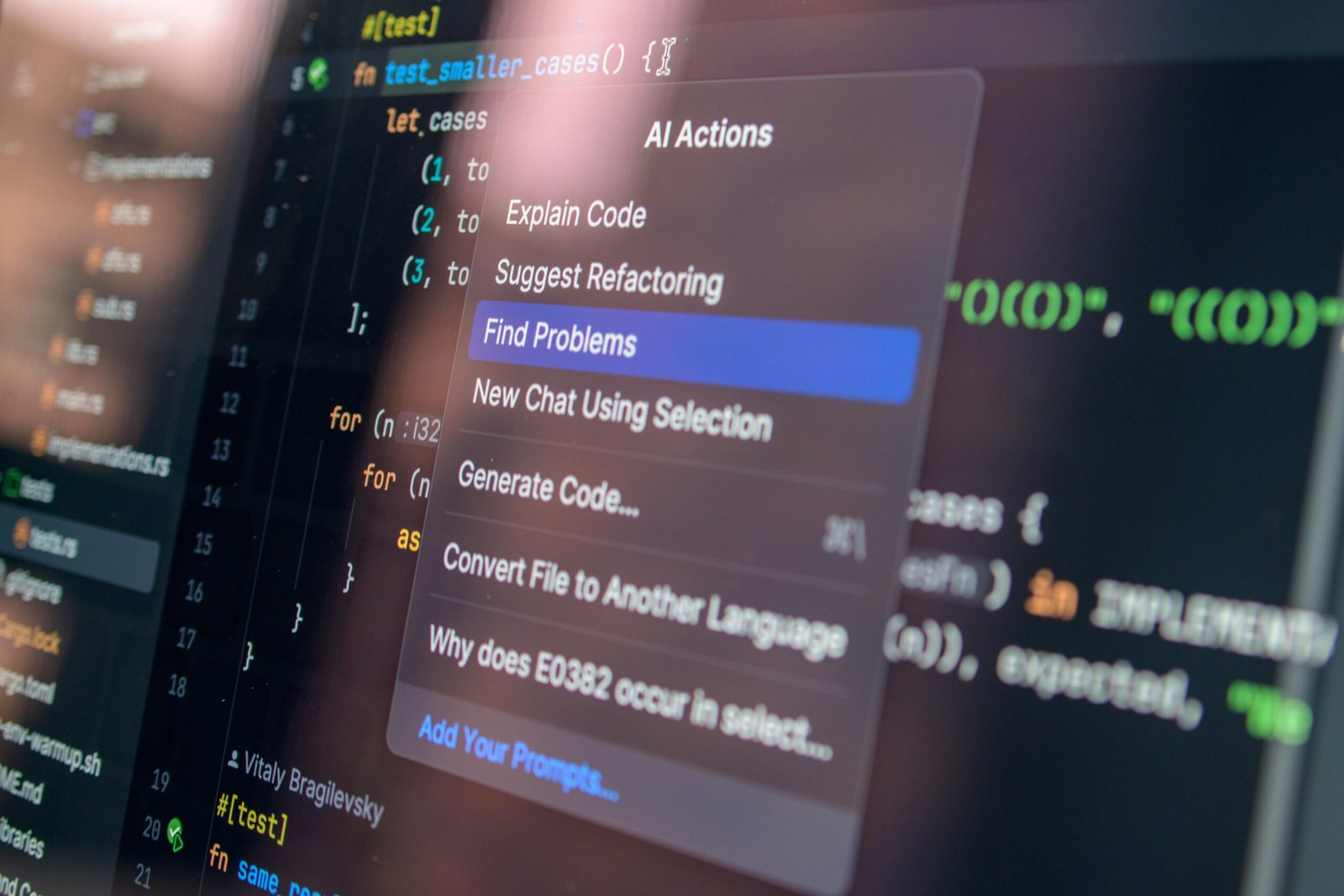
The AI Coding Assistant Showdown You Actually Need in 2026
AI coding tools have fundamentally changed how developers write software — and choosing the right one can save you hours every week. In 2026, the competition between GitHub Copilot, Cursor, and Tabnine has never been more intense, with each platform pushing aggressive feature updates, pricing changes, and model upgrades. According to a 2025 Stack Overflow Developer Survey, over 76% of professional developers now use or plan to use AI coding assistants regularly — up from just 44% in 2023. So if you’re still on the fence or wondering which tool deserves your subscription dollars, this deep-dive comparison will give you clear, honest answers based on real capabilities, pricing, and use cases.
Whether you’re a solo freelancer in Australia building SaaS products, a senior engineer at a UK fintech firm managing large codebases, or a bootcamp graduate in Canada just getting started, the right AI coding assistant can be a genuine force multiplier. Let’s break down exactly what GitHub Copilot, Cursor, and Tabnine each bring to the table — and who should actually be using which tool.
How These Three AI Coding Tools Actually Work
Before comparing features side by side, it’s worth understanding the architectural difference between these tools, because it explains a lot about their strengths and limitations.
GitHub Copilot: The Established Giant
GitHub Copilot, developed by GitHub in partnership with OpenAI, launched in 2021 and has since become the most widely adopted AI coding assistant in the world. As of 2026, it powers its suggestions primarily through a combination of OpenAI’s GPT-4o and custom fine-tuned models trained on billions of lines of public code from GitHub repositories. It integrates natively into Visual Studio Code, JetBrains IDEs, Neovim, and now has deep integration in GitHub’s own web editor. Copilot works by reading your current file, surrounding context, and open tabs to generate inline code completions and multi-line suggestions in real time.
In 2025, GitHub introduced Copilot Workspace — an agentic feature that lets developers describe a task in natural language and have Copilot plan, write, and test code across multiple files autonomously. This represented a significant evolution from simple autocomplete to genuine task-level automation.
Cursor: The IDE Built for AI
Cursor takes a fundamentally different approach. Rather than being a plugin bolted onto an existing editor, Cursor is a full IDE — built as a fork of VS Code — designed from the ground up with AI at its core. It supports multiple underlying models including Claude 3.5 Sonnet, GPT-4o, and its own custom model called Cursor Tab. What makes Cursor distinctive is its ability to understand your entire codebase through a proprietary indexing system, allowing it to make suggestions and edits that are deeply context-aware across hundreds of files simultaneously.
Cursor’s “Composer” and “Agent” modes allow developers to describe complex, multi-file changes and have the AI execute them — including running terminal commands, editing files, and iterating based on error outputs. For many developers, this represents the most fluid AI-native coding experience currently available.
Tabnine: The Privacy-First Competitor
Tabnine has carved out a specific niche: enterprise teams and individual developers who prioritize privacy and data security above all else. Founded in 2018, Tabnine was one of the earliest AI code completion tools on the market. In 2026, it offers both cloud-based and fully on-premise AI models, which is a critical differentiator for regulated industries like healthcare, finance, and government contracting. Tabnine uses a combination of its own proprietary models and allows enterprise customers to bring their own fine-tuned models trained exclusively on their private codebase — meaning your code never leaves your infrastructure.
It integrates with virtually every major IDE including VS Code, JetBrains, Eclipse, Vim, and Sublime Text, making it unusually flexible for organizations with heterogeneous development environments.
Feature-by-Feature Breakdown: What Each Tool Does Best
Code Completion Quality
All three tools offer inline code completion, but the quality and context-awareness vary significantly. Cursor’s Tab model has earned a strong reputation among power users for producing highly relevant, multi-line completions that feel genuinely aware of what you’re trying to build — not just what you’ve typed. GitHub Copilot remains excellent for standard completion tasks, particularly for popular languages like Python, JavaScript, TypeScript, and Go, where its training data is richest. Tabnine’s completions are solid but generally less ambitious in length and complexity — it tends toward shorter, safer suggestions, which some developers actually prefer for maintaining tight control over output.
Chat and Conversational Assistance
All three now include chat interfaces where you can ask questions, request refactors, explain code, or generate tests. GitHub Copilot Chat is deeply integrated into VS Code and JetBrains, allowing context-aware conversations that reference your open files. Cursor’s chat is arguably the most powerful, especially in Agent mode, where it can autonomously traverse your entire indexed codebase to answer questions or implement changes. Tabnine Chat exists but is generally considered the least capable of the three for complex reasoning tasks — its strength remains completion rather than conversation.
Agentic and Multi-File Capabilities
This is where the gap between tools is most pronounced in 2026. Cursor leads convincingly here — its Agent mode can take a plain-English instruction like “add user authentication with JWT tokens to this Express app” and execute the changes across multiple files, handle imports, write tests, and fix errors it encounters in the process. GitHub Copilot Workspace offers similar agentic capabilities but within a more structured, step-by-step planning interface that gives developers more oversight before changes are applied. Tabnine does not offer comparable agentic functionality at this level — it remains primarily a completion and chat tool.
IDE and Editor Support
Tabnine wins decisively on breadth of IDE support — it works with more editors than either competitor, including niche environments that many enterprise teams still depend on. GitHub Copilot covers the most popular environments extremely well. Cursor, because it is itself an IDE, requires you to switch away from your current editor — which is a genuine friction point for developers deeply invested in their existing JetBrains or other tooling setups.
Privacy and Security
Tabnine is the clear winner for privacy-sensitive environments. Its on-premise deployment option means code never touches external servers. GitHub Copilot Business and Enterprise plans include business-grade data privacy commitments — GitHub states that code snippets are not used to train public models for enterprise customers — but data does pass through Microsoft/GitHub infrastructure. Cursor’s privacy model is more nuanced; it routes prompts through its own servers and to third-party model providers, which is a concern some enterprise security teams flag.
Pricing Comparison for 2026
Pricing in this space has evolved considerably. Here’s where each tool stands as of 2026:
GitHub Copilot Pricing
- Free tier: Available for verified students, open-source maintainers, and a limited free plan with 2,000 completions and 50 chat messages per month
- Copilot Pro: $10/month — unlimited completions, chat, and access to Copilot Workspace
- Copilot Business: $19/user/month — enterprise privacy controls, policy management, audit logs
- Copilot Enterprise: $39/user/month — includes Copilot Workspace, knowledge bases, fine-tuning on internal repos
Cursor Pricing
- Hobby (Free): 2,000 completions, 50 slow premium model uses per month
- Pro: $20/month — unlimited Cursor Tab completions, 500 fast premium model uses, unlimited slow uses
- Business: $40/user/month — centralized billing, admin dashboard, enforced privacy mode
Tabnine Pricing
- Starter (Free): Basic AI completions, limited context window
- Dev: $12/month — full completions, chat, larger context
- Enterprise: Custom pricing — on-premise deployment, private model training, SSO, compliance controls
For individual developers, GitHub Copilot Pro at $10/month remains the best value proposition given its capability and ecosystem. Cursor Pro at $20/month is justified for developers who want the most powerful agentic coding experience. Tabnine Enterprise is priced for compliance-driven organizations where on-premise deployment is non-negotiable.
Who Should Use Which Tool: Practical Recommendations
Choose GitHub Copilot If…
You want the best balance of capability, ecosystem integration, and value. GitHub Copilot is the right choice if you work primarily in VS Code or JetBrains, want seamless integration with GitHub repositories and pull requests, and need a tool that works reliably across a wide range of programming languages. It’s also the smart pick if you’re part of a larger team that already uses GitHub for version control — the workflow integration alone adds significant value. Research from McKinsey in 2025 found that developers using GitHub Copilot completed tasks up to 55% faster on average — one of the strongest productivity benchmarks in the industry.
Choose Cursor If…
You want the most powerful AI-native development environment available and are comfortable working within Cursor’s VS Code-based IDE. Cursor is the right pick for developers who frequently work on complex, multi-file tasks, build full-stack applications, or want agentic AI that can genuinely execute tasks end-to-end with minimal hand-holding. Many professional developers in 2026 describe Cursor as feeling like “pair programming with a senior developer” rather than just using an autocomplete tool. If you’re building ambitious projects and want the ceiling of AI assistance pushed as far as it currently goes, Cursor is your tool.
Choose Tabnine If…
Your organization operates in a regulated industry or has strict data governance requirements. Tabnine is the pragmatic choice for healthcare organizations, financial institutions, government contractors, and any enterprise where code cannot leave internal infrastructure. It’s also a strong option for teams with diverse IDE setups who need a single tool that works everywhere. According to Tabnine’s 2025 enterprise adoption report, over 60% of their enterprise customers cite data privacy as the primary reason for choosing Tabnine over competitors.
Can You Use More Than One?
Absolutely — and many developers do. A common setup in 2026 is using Cursor as a primary development environment for creative, complex work while keeping Tabnine available in other IDEs for quick edits. Some developers also experiment with GitHub Copilot’s free tier alongside a paid Cursor subscription to compare suggestion quality on specific tasks. There’s no rule that says you must commit exclusively to one tool, especially while free tiers exist across all three platforms.
Limitations and Honest Caveats
No AI coding tool is perfect, and it’s worth being clear-eyed about the weaknesses of each platform before committing.
GitHub Copilot can generate code that looks correct but contains subtle bugs, especially in complex logic or security-sensitive contexts. Its suggestions are heavily influenced by patterns in public GitHub code, which means it can occasionally reproduce outdated approaches or deprecated APIs. Always review Copilot suggestions carefully before committing them to production.
Cursor’s agentic capabilities are impressive but not infallible. In Agent mode, it can make incorrect assumptions, introduce changes you didn’t intend, or get stuck in error-correction loops. The more files it touches autonomously, the more important it becomes to review diffs carefully before accepting changes. Additionally, because Cursor is a full IDE replacement, teams with established JetBrains or proprietary editor workflows may find adoption friction significant.
Tabnine’s limitations center on capability rather than safety. Its chat and reasoning abilities lag behind Copilot and Cursor for complex tasks, and its agentic capabilities are minimal compared to the competition. If your primary goal is maximum productivity through AI assistance, Tabnine’s conservative approach may feel limiting — though for many enterprise teams, that conservatism is exactly the point.
Across all three tools, developers should maintain strong code review practices, never trust AI-generated code with security implications without independent audit, and stay aware that AI suggestions can reflect biases or errors present in training data.
Frequently Asked Questions
Is GitHub Copilot still worth it in 2026 with so much competition?
Yes — GitHub Copilot remains one of the best-value AI coding tools available. At $10/month for individuals, it offers excellent completion quality, deep IDE integration, and access to Copilot Workspace for agentic tasks. Its tight integration with GitHub repositories makes it especially compelling for teams already using GitHub’s platform. The competition has made Microsoft invest heavily in rapid feature development, so the tool has improved substantially over the past two years.
Is Cursor better than GitHub Copilot for professional developers?
For many professional developers focused on complex, multi-file projects, Cursor’s agentic capabilities and codebase-wide context awareness make it the more powerful tool in day-to-day use. However, “better” depends on your workflow. If you work in JetBrains IDEs, are heavily invested in the GitHub ecosystem, or prefer a plugin over a full IDE switch, GitHub Copilot may serve you better. Many senior developers use Cursor as their primary tool and find it genuinely transformative for ambitious projects.
Can Tabnine be used offline or on-premise?
Yes — this is one of Tabnine’s strongest differentiators. Its Enterprise plan supports fully on-premise deployment, meaning all AI inference happens on your own servers with no data transmitted externally. This makes it the leading choice for regulated industries, government projects, and organizations with strict data residency requirements. No other major AI coding assistant offers this level of infrastructure control at scale.
Which AI coding tool is best for beginners?
GitHub Copilot is generally the best starting point for beginners. Its VS Code integration is seamless, documentation is excellent, and the free tier provides enough functionality to meaningfully experience the tool before committing to a subscription. Its chat interface is also helpful for learning — you can ask it to explain code, suggest improvements, or walk through concepts interactively. Cursor is powerful but has more of a learning curve, and Tabnine’s free tier is quite limited for the exploration a beginner needs.
Do these AI coding tools support all programming languages?
All three support a wide range of languages, but coverage quality varies. GitHub Copilot and Cursor perform best with popular languages like Python, JavaScript, TypeScript, Java, C++, Go, and Rust, where their training data is richest. Both degrade in quality for less common or niche languages. Tabnine supports over 80 programming languages and has made supporting enterprise-common languages like COBOL and Fortran a specific focus — a meaningful advantage for legacy enterprise environments that competitors essentially ignore.
Are there security risks to using AI coding assistants?
There are real risks that developers should understand. AI tools can suggest code with security vulnerabilities — a Stanford study found that developers using AI assistants were more likely to introduce certain security bugs when they trusted suggestions without review. Additionally, sending proprietary code through cloud-based AI services raises data exposure concerns. Mitigations include using enterprise plans with strong data privacy terms, never sending credentials or sensitive data through AI chat interfaces, maintaining rigorous code review processes, and using security scanning tools alongside AI assistants rather than instead of them.
Will AI coding tools replace developers?
This question comes up constantly, and the honest 2026 answer is: not in any foreseeable near-term timeframe. These tools are genuinely powerful productivity multipliers, but they lack the judgment, creativity, contextual business understanding, and accountability that professional software development requires. What they are doing is changing what developers spend their time on — shifting more effort toward system design, review, testing, and decision-making rather than typing boilerplate. Developers who learn to work effectively with AI tools are significantly more productive than those who don’t, which is why adoption has accelerated so dramatically.
Choosing between GitHub Copilot, Cursor, and Tabnine ultimately comes down to your specific context: your team size, IDE preferences, privacy requirements, and how much you want AI involved in your workflow versus completing tasks independently. All three are genuinely capable tools that represent real productivity gains over coding without AI assistance. The worst choice you can make in 2026 is no choice — sitting out the AI coding revolution while your peers accelerate past you. Start with free tiers, test them on real work, and let your own experience guide the decision. The best AI coding assistant is the one you’ll actually use consistently and effectively.
Disclaimer: This article is for informational purposes only. Pricing, features, and platform capabilities change frequently. Always verify current technical information directly with vendors and consult relevant professionals for specific advice regarding security, compliance, or enterprise procurement decisions.
Leave a Reply